AI help with your files — without sending them anywhere.
Quick answer: Use AI that runs on your own PC instead of a cloud service. In Productivity Plus Pack, Tag Sense AI tags documents and images by content through Ollama, People+ recognizes faces on-device, and Organize folder files photos by date, place and people. Nothing is uploaded, and the results are standard tags that File Explorer and Windows Search understand.
AI is great at sorting and describing things. But your files are personal — contracts, family photos, notes — and uploading them to a cloud service isn't always an option.
Productivity Plus Pack uses AI that runs on your own PC to tag your documents, recognize the people in your photos, and help you organize — so your files never leave your computer.
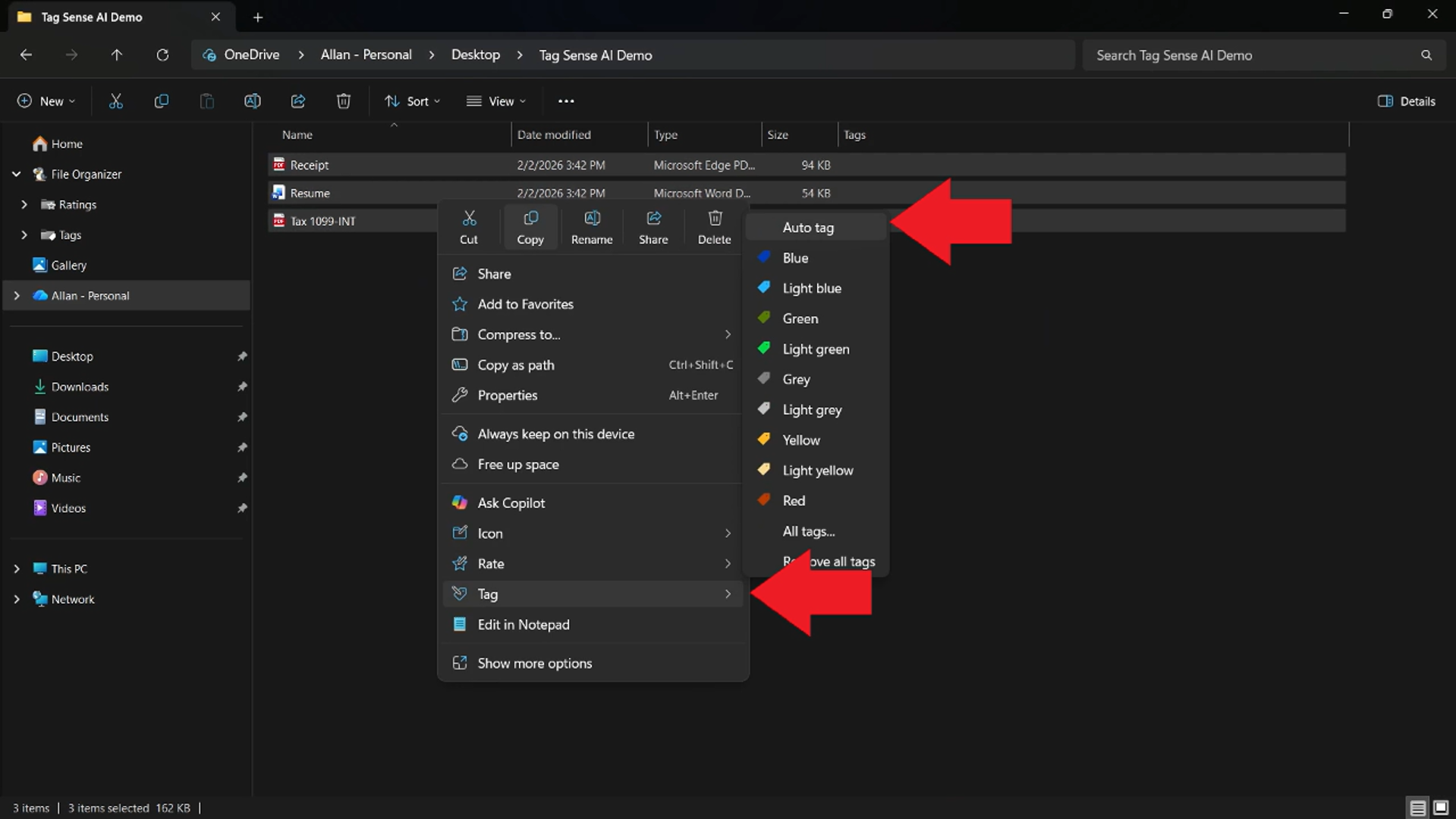
Use what's built into Windows, the tools you already have, or Productivity Plus Pack — they work well together.
Tag Sense AI runs through Ollama on your PC, and People+ does face recognition on-device. Nothing is uploaded.
Results are written as standard tags and metadata, so they show up in File Explorer and Windows Search — no separate app or database.
AI Hotkeys+ sends selected text to a local AI — or to Microsoft Copilot or another cloud AI, per action, showing you exactly what will be sent first.
More about Tag Sense AI · Full Tag Sense AI guide · Read: How to Automatically Tag Files Using AI · Read: How to Organize Photos on Your PC · More how-to guides
Not for Tag Sense AI or People+ - both run locally. AI Hotkeys+ only uses a cloud AI for actions you set up that way, and shows what will be sent first.
Just Productivity Plus Pack. The first time you use the local AI features, you're guided through installing Ollama and a model. In the Microsoft Store edition, you install Ollama yourself.
Yes. Tags and people can be changed or removed at any time, and Organize folder has Undo last organize.
Try every feature free for 30 days, no account or credit card needed. After the trial, choose a one-time payment for the direct download or a monthly subscription for the Microsoft Store edition.
