Give your files and folders a look that's easy to spot at a glance.
Give work, personal projects and favorite folders a visual identity. Choose from the included icon packs, or organize your own .ico collections into groups in the Icon menu with Context Menu+.
When every folder looks the same, the ones that matter get lost in the noise. Icon+ lets you assign a custom icon to any file or folder directly from the right-click context menu, so your most-used items stand out instantly.
It works alongside the tags and star ratings from Tag+ and Rate+, layering small overlays right on top of your custom icon or thumbnail - giving you an at-a-glance view of what's tagged, rated, and important without opening a single file.
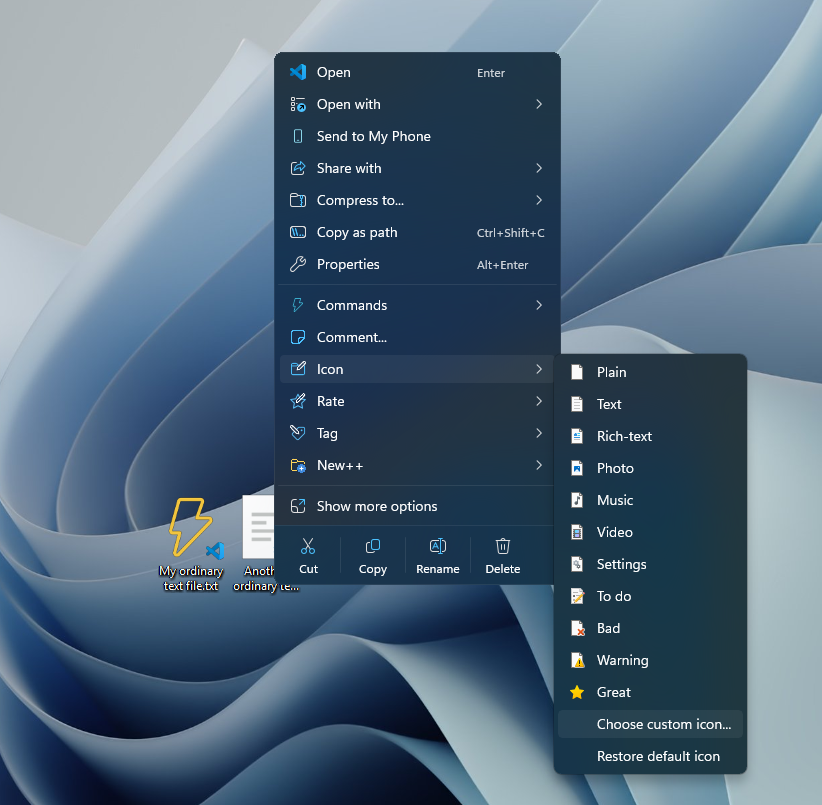
Preset icons and the custom-icon picker. Icon packs and your own groups add more choices when Context Menu+ is enabled.
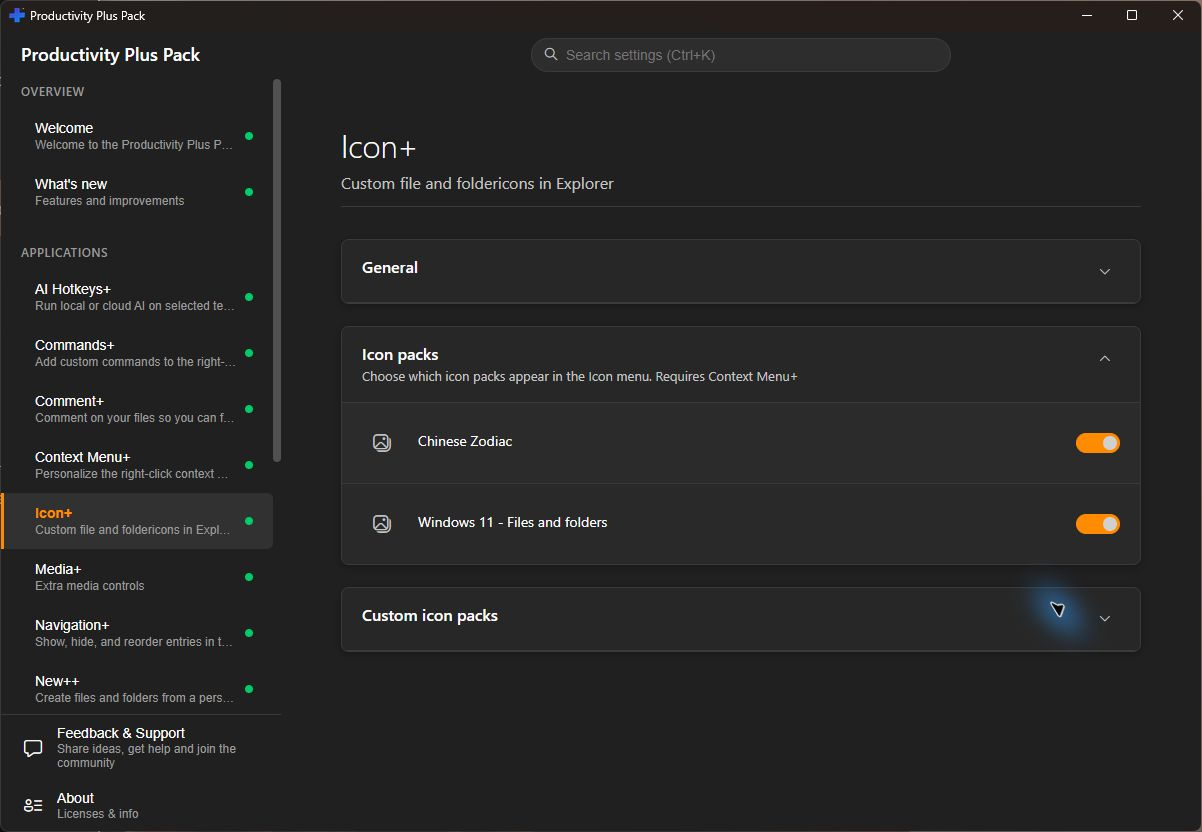
Choose from Windows 11 - Files and folders and Chinese Zodiac. Turn individual packs on or off in Icon+ Settings so the Icon menu contains the collections you want. Pack menus require Context Menu+.
Set Icon Location in Icon+ Settings and add folders of .ico files. Each folder becomes a group in the Icon menu; folders inside it become nested groups. This makes a personal collection or a matching set of project icons easy to reuse. Requires Context Menu+.
Need step-by-step help? See the full Icon+ guide →
Yes. Set Icon Location in Icon+ Settings, then put folders of .ico files there. With Context Menu+ enabled, the folders appear as groups in the Icon menu, including nested groups.
Right-click it in Windows Explorer and choose the icon option from the context menu to pick a new, distinctive icon.
Yes, use the same context menu option and choose the default/reset entry to restore the original system icon.
Yes, Tag+ and Rate+ overlays layer on top of your custom icon or thumbnail, so both are visible at once.
Icon+ caches generated icons. Folder-loading performance still depends on the number of items, storage speed and other Explorer extensions.
Free 30-day trial, no account or credit card needed. Then one payment for every feature — no subscription.
