Clean up a messy Downloads folder - or any folder - in a single click.
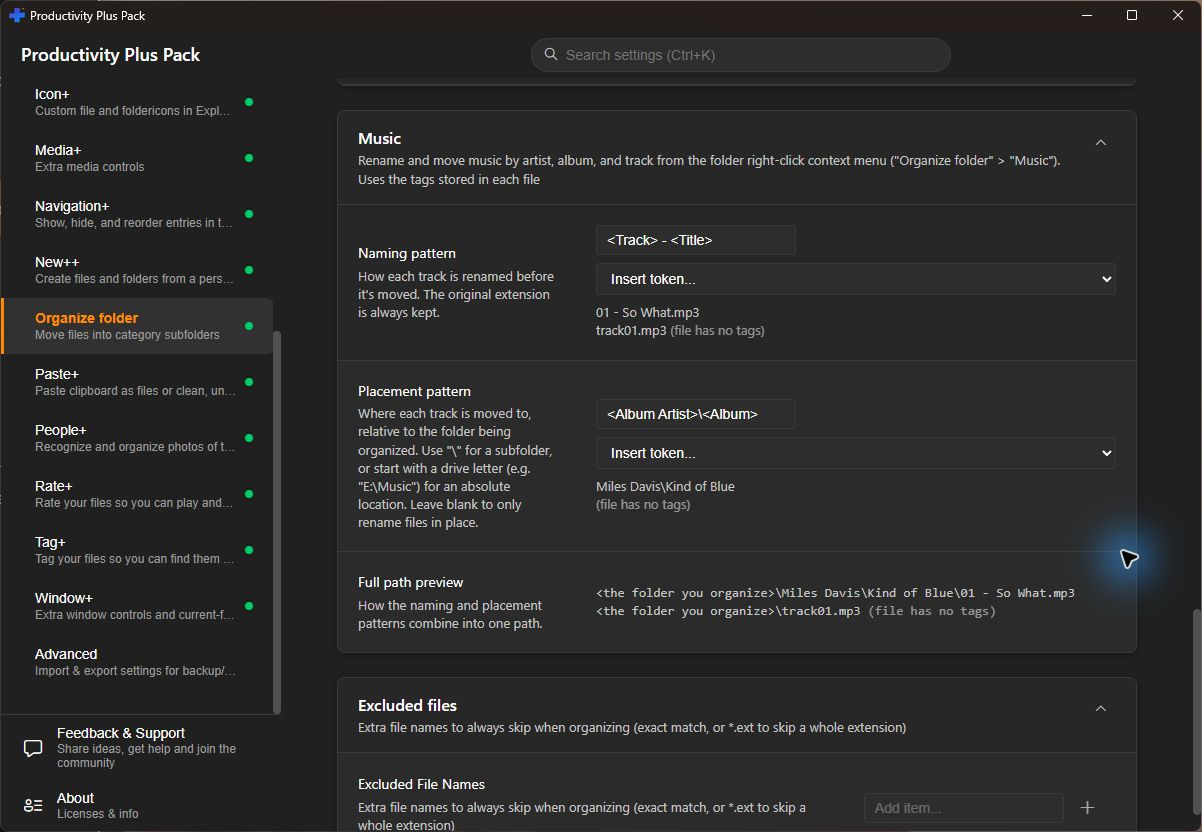
Music deserves more than one catch-all folder. Choose Organize folder > Music to give tracks consistent names and arrange them by artist and album using the metadata already in the files.
Folders can quickly become cluttered. Organize Folder lets you right-click any folder and sort its contents into tidy category subfolders - Images, Documents, Videos, Music, Archives, Programs, and more - in one click.
For photos, choose Organize folder > Photos to rename and move them by date, GPS-derived location and named people. Place names are resolved offline. Choose the naming and destination patterns in Settings.
It only touches the files sitting directly in that folder, leaving existing subfolders, shortcuts, and system files exactly where they are. And if the result isn't what you wanted, Undo last organize attempts to return files moved by the last operation to their original locations. Check the result, particularly if files have since been changed or moved.
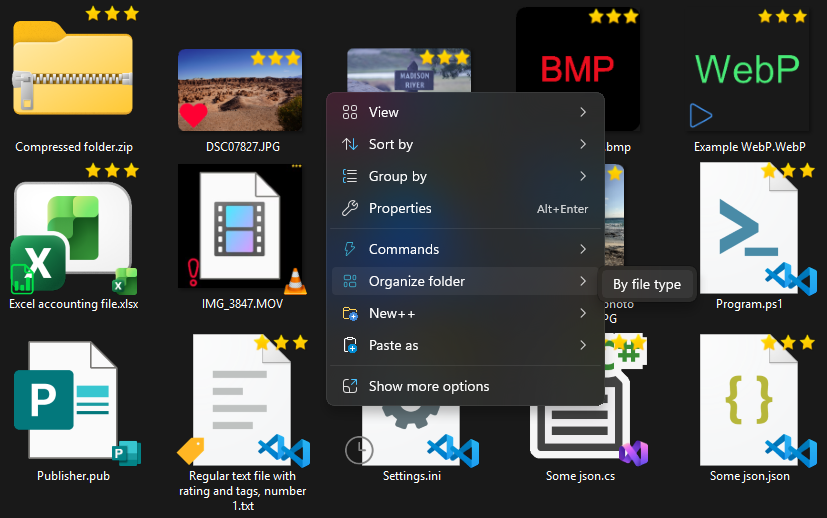
The By file type command is shown here. Current versions also offer Photos and Music.
See the photo-organization workflow and how to turn a cluttered folder into an organized one.
Organize photos by date and location
Separate loose documents, images, music, videos and other files into category subfolders. Customize the categories and extensions in Settings.
Rename and place photos using dates, GPS-derived place names and people metadata. Location names are resolved offline.
The default placement is <Album Artist> / <Album>, with filenames based on <Track> - <Title>. Change the patterns and review their preview in Settings. Results depend on the metadata available in each track.
Need step-by-step help? See the full Organize Folder guide →
Yes. Choose Organize folder > Music to rename and arrange supported audio files using their metadata. Set separate naming and placement patterns in Settings, using fields such as artist, album artist, album, track number, title, disc, year and genre.
They're left completely alone. Organize Folder only sorts the loose files sitting directly inside the folder you organize.
Yes. Right-click the folder again and choose Undo last organize. Check the result if a file has since been moved, changed or replaced.
No, only the top-level files in the folder you choose are sorted - nothing is touched recursively.
Yes, turn off Organize Folder in the Settings app if you'd rather not see it in your right-click menu.
Name family members, tag occasions and rate favorites so you can find the best photos of a person across different events and years.
Free 30-day trial, no account or credit card needed. Then one payment for every feature — no subscription.
