Play, pause, and mute your mic from any window - without breaking focus.
Media+ puts playback and microphone control at your fingertips no matter what you're working in. Play, pause, skip, seek and adjust volume with customizable keyboard shortcuts, even on keyboards without dedicated media keys. Playback actions depend on the media application's support for Windows media controls.
Mute your microphone with Ctrl+Win+Alt+M and unmute it with Ctrl+Win+Alt+U, without switching to your meeting app. Change or disable each shortcut in Settings, and enable a tray indicator that shows when your microphone is muted.
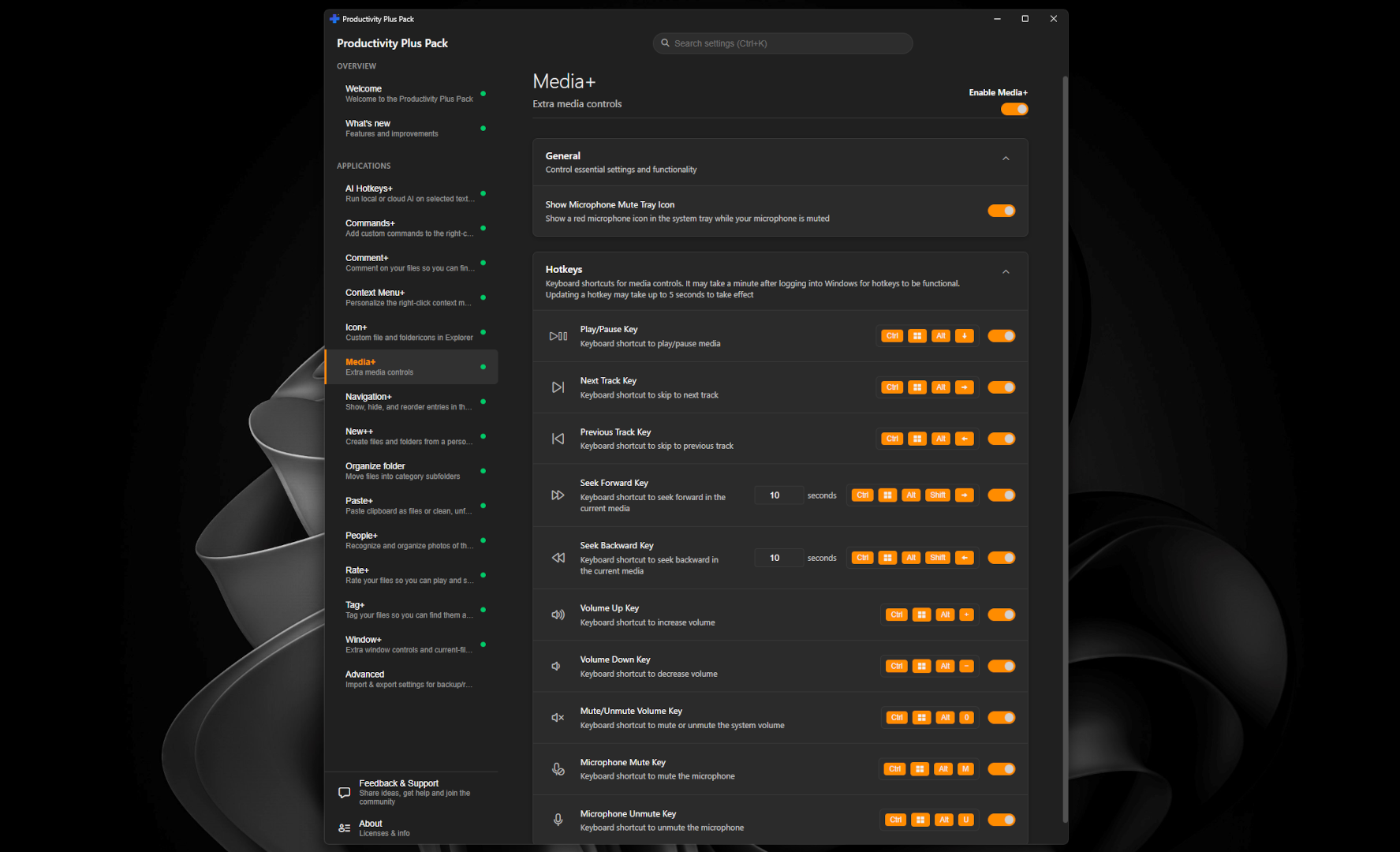
A quick demonstration of the global microphone shortcuts.
Need step-by-step help? See the full Media+ guide →
Yes. Global shortcuts work while another app has focus. Playback and seeking require the media app to support the corresponding Windows media controls.
By default, Ctrl+Win+Alt+M mutes the microphone and Ctrl+Win+Alt+U unmutes it. Change either shortcut in Settings under Media+.
Yes, it can be disabled independently in Settings if you'd rather use another tool for media or microphone control.
Yes. Assign shortcuts on wired, wireless or Bluetooth keyboards; dedicated media keys are not required.
Free 30-day trial, no account or credit card needed. Then one payment for every feature — no subscription.
