
Everything at your finger tips
Build your own context menus, to your preferences, with your quick to reach pins and commands
Customize your first menu →Make Windows work your way
Try for free
Build your own context menus, to your preferences, with your quick to reach pins and commands
Customize your first menu →Tag PDFs, documents and photos, then find matching files with one-click filters in File Explorer.
Tag your first PDF →Create a ready-to-use document, configuration file or project folder from your own New++ templates.
Create your first template →One pack, with features you can turn on or off individually. Works alongside PowerToys and the tools you already use.
“I mainly just use it to customize the context menu (right click menu) exactly how I want it.”
“New++ made it easy to create commonly used files instantly”
“One can tell by both the software and the documentation that the developer(s) actually care about this app”
More ways to make everyday Windows tasks easier

Distinguish drafts from signed copies, keep notes on amendments, and find the documents that need attention.
Organize a set of contracts →Find people, tag occasions, and pick your favorite photos across different events and years.
Organize your family photos →Start with a reusable folder template, keep feedback with the work, and find files ready to send.
Set up a client project →Explore additional example workflows, including research projects →
Tag any file in File Explorer — PDFs, documents, code and more — see tags on thumbnails, and find files again with one-click filters.
Learn more →Rate supported files from one to five stars, not just photos and music, and find your best files again straight from File Explorer's navigation pane.
Learn more →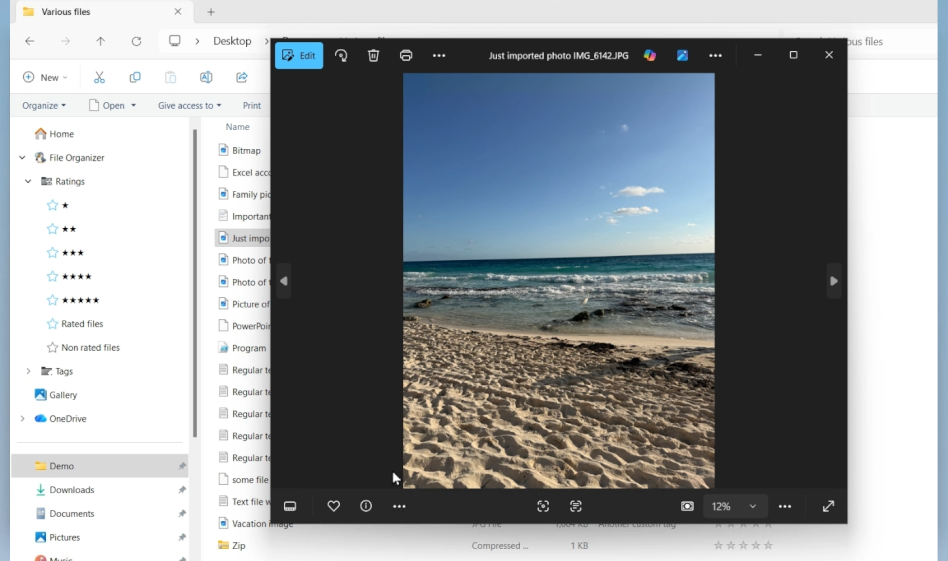
Comment on any file, keep comments on top while you work, and later find files based on comments.
Learn more →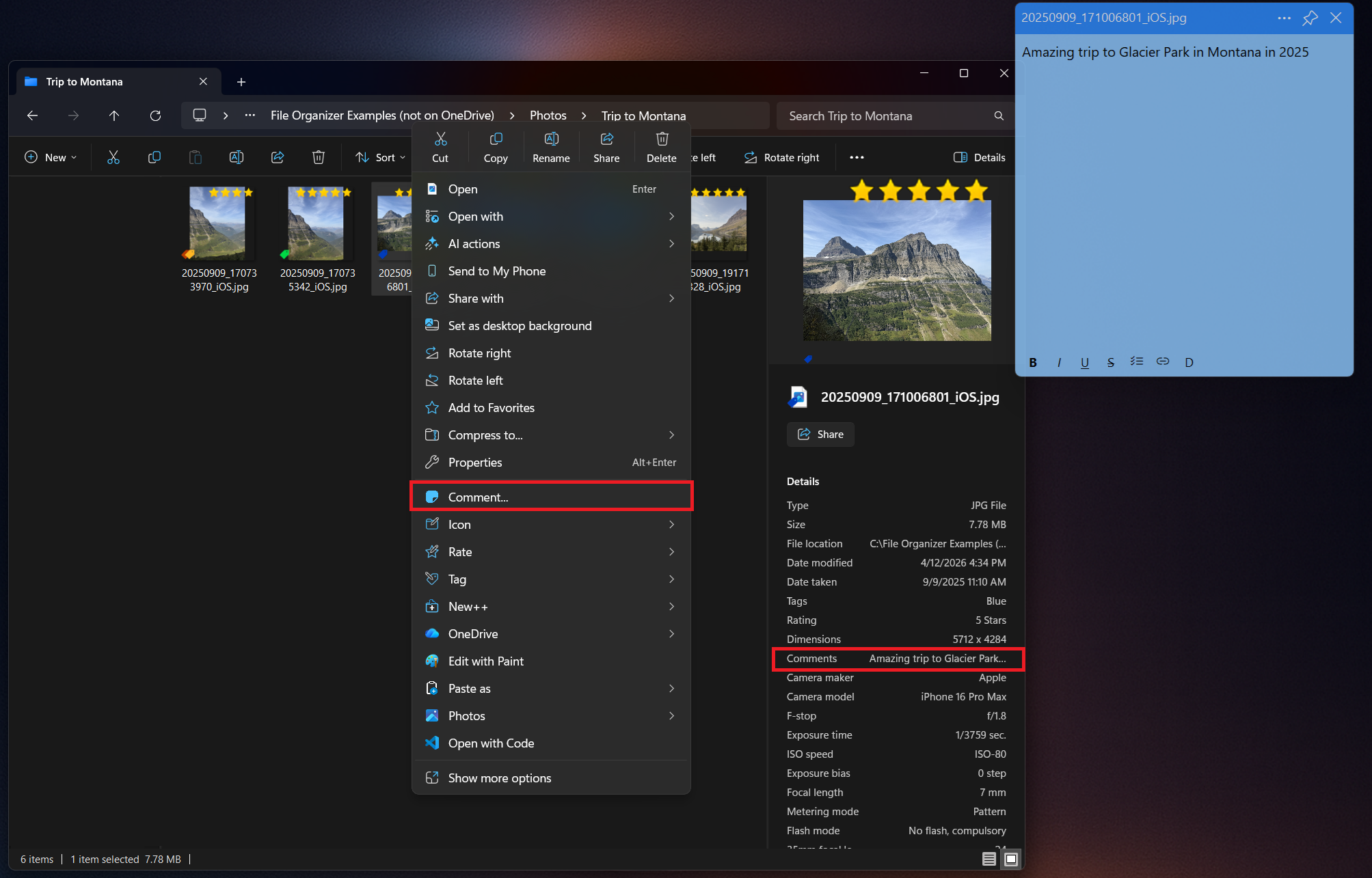
Customize your folder and file icons keeping your workspace organized and visually appealing.
Learn more →Clean up a messy folder in one click by sorting its contents into subfolders by file type.
Learn more →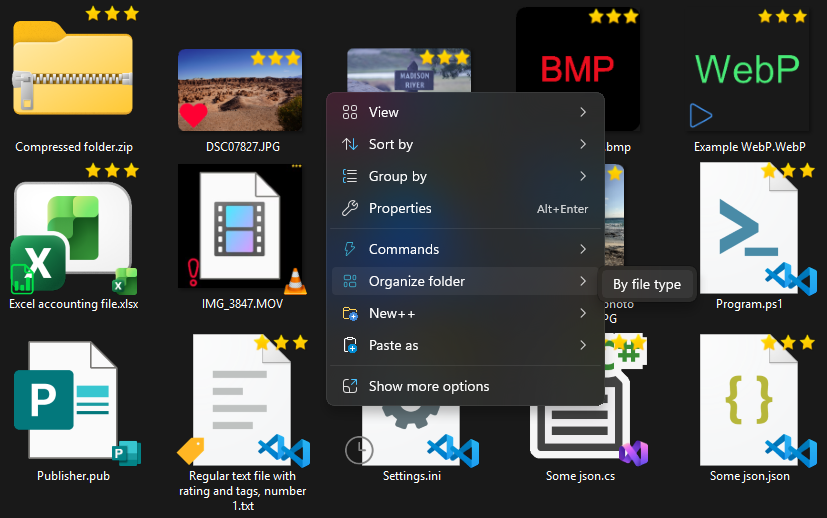
Find photos of family and friends using private and local AI. Your photos and data stay on your PC while local AI helps organize and search your library. You can review, edit, or remove person tags at any time - you are in control of your memories and your privacy.
Learn more →Paste clean, unformatted text in any app with Plain Paste, or paste your clipboard straight into a folder as a file — images, URL shortcuts, QR codes, Markdown and more — with Paste as.
Learn more →Control your media playback from anywhere with global media keys. Play, pause, skip, adjust volume, and even mute/unmute your microphone without leaving your work.
Learn more →Create files and folders from a personalized set of templates directly in the Windows context menu and using hotkeys. Whether you need a new document, spreadsheet, or a folder full of certain files, New++ has you covered with just a few clicks.
Learn more →Design the right-click menus you use every day: reorder commands, create submenus, and choose a light, dark or custom theme. Switch between modern and classic menus, too.
Learn more →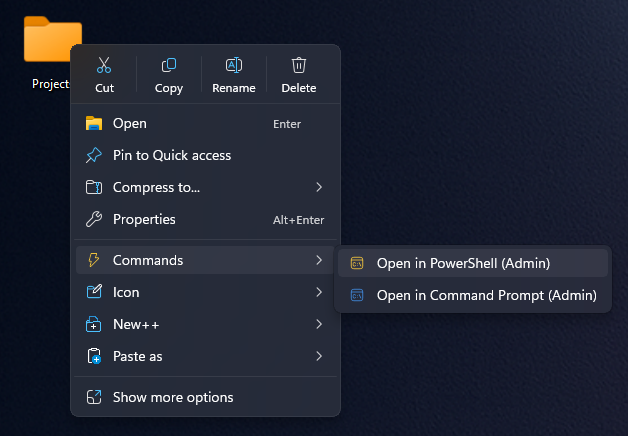
Put your own programs and scripts in the right-click menu — for the desktop, folders, or specific file types — and run them with a hotkey.
Learn more →Show, hide, rename, and reorder the entries in File Explorer's navigation pane, and choose where File Explorer opens.
Learn more →Pin and adjust window transparency of your favorite applications with their settings being restored next time you open them. Plus, quickly show open file in File Explorer, comment on it, and copy its link.
Learn more →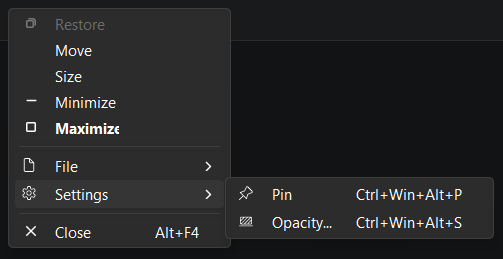
Select text and use a hotkey to define, translate, summarize or rewrite it with local AI on your PC or a cloud AI you choose.
Learn more →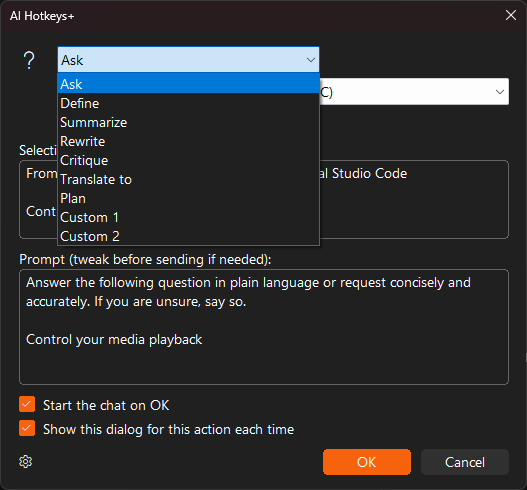
A practical system for folders, tags, ratings, comments, custom icons, local AI and search — what Windows does on its own, which free tools help, and how to go further.
Read the complete guide →Keep the tools you love. Productivity Plus Pack is made to run alongside PowerToys, Ollama, OneDrive, Windows Search and more — and New++ comes from the same team as New+ in PowerToys.
See how they fit together →
“After a short time, Productivity Plus Pack became the absolute heart of my digital workspace.”
Nach kurzer Zeit ist das Productivity Plus Pack jedoch zum absoluten Herzstück meines digitalen Arbeitsplatzes geworden.
“Super well integrated with Windows!”
Start your free 30-day trial today — no account or credit card required