Pin it, dim it, or jump straight to the file it has open.
Tell your windows apart at a glance. Use one border color for a work app and another for personal tasks, or distinguish different windows of the same program. Pick a preset or custom color and use title-based rules to remember which window gets which color.
Reference documents, chat windows, and notes all fight for space on your screen. Window+ lets you pin supported windows on top of the others and adjust its transparency, with your preferences remembered per application for next time.
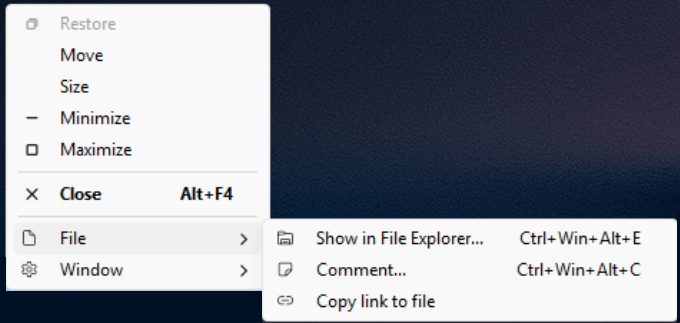
When a window has a file open, Window+ can also show you that file in Explorer, comment on it, or copy a link to it - straight from the window's own system menu, no digging through recent files required.
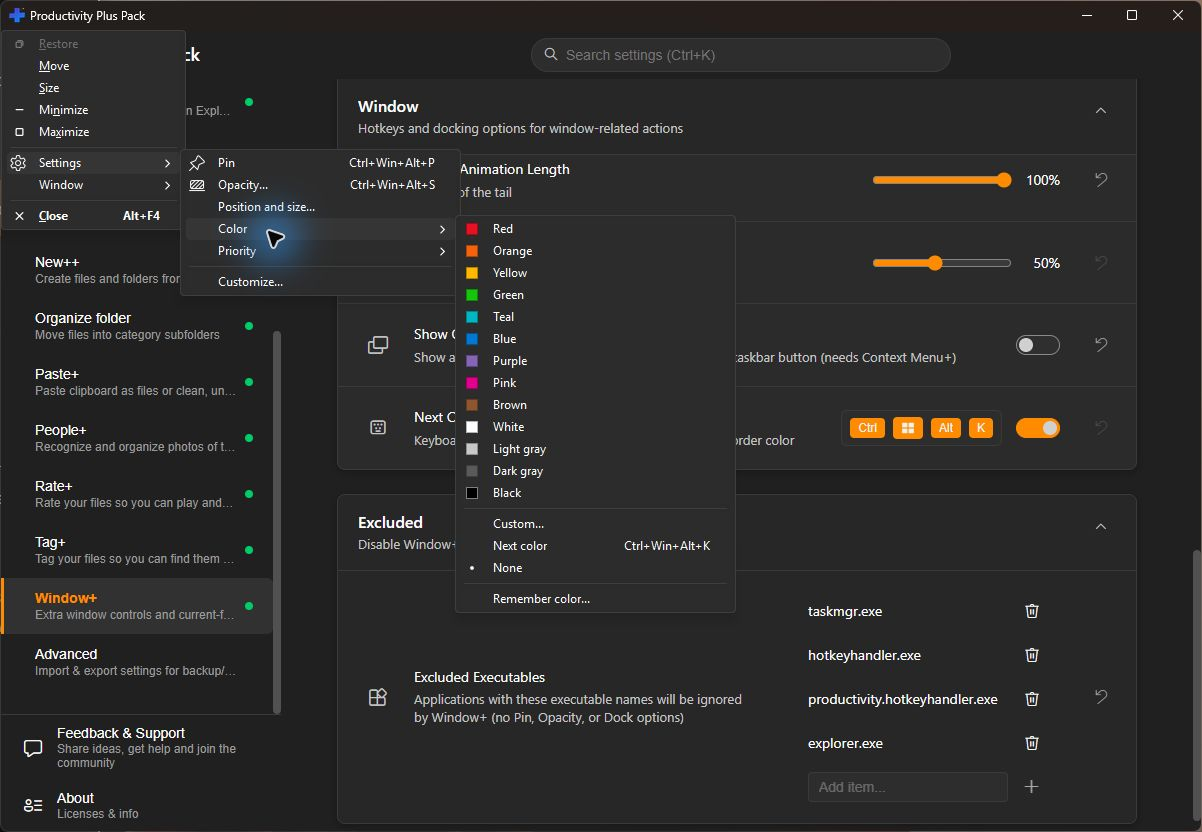
Choose a preset or custom border color, cycle to the next color, or use Remember color to create a matching rule for a program or window.
Use Settings > Color in a supported window's system menu. Choose a color for this window, or use Remember color... to match its program, class or title. For example, distinguish two document windows by their titles.
Enable Show Colors on Taskbar to add a matching indicator below the app's taskbar button. This integration requires Context Menu+. Adjust border thickness and activation animation in Window+ Settings.
Keep a reference on top, make a window translucent, or dock it to a monitor edge. Configure shortcuts and dock width in Settings, and use the window menu for position and size rules.
Need step-by-step help? See the full Window+ guide →
Yes. Open the window's system menu (Alt+Space or right-click its title bar), then choose Settings > Color. Pick a preset or custom color, or use Next color. Remember color... can match a program, window class or window title, so different windows of the same app can have different colors.
Press Ctrl+Win+Alt+P, or use the Pin option in the window's system menu (right-click the title bar, or press Alt+Space).
Yes, Window+ remembers your pin and transparency settings per application and restores them automatically.
In supported applications, press Ctrl+Win+Alt+E to show the open file in Explorer. The system menu's File submenu also offers Comment and Copy link to file. Availability depends on whether Window+ can identify the open file.
Yes, set per-app rules or exclude specific applications entirely from the Settings app.
Free 30-day trial, no account or credit card needed. Then one payment for every feature — no subscription.
