Keep the starter file once. Create a fresh copy wherever you need it.
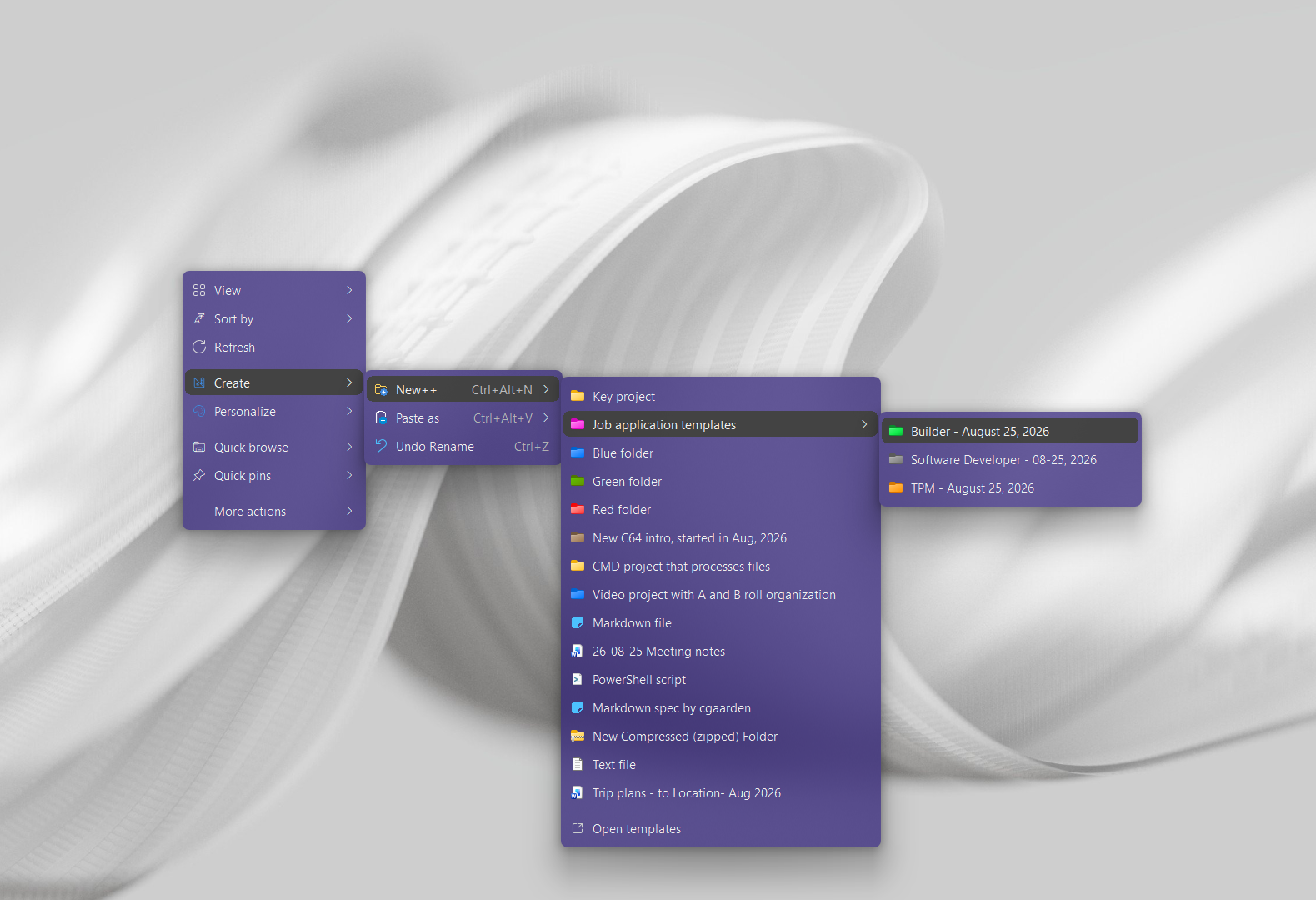
Quick answer: Windows' New menu is a great idea and accessible but offers a very limited set of templates that you can't customize. With New++ you can completely customize and group templates to your needs and liking.
Finding yourself creating similar files or folder structures? With New++ you can streamline all that.
Use what's built into Windows, the tools you already have, or Productivity Plus Pack — they work well together.
Use the list of files listed under New.
Completely customize your own starter/template files and folder. And use powerful variables and prompts to help streamline file and folder creation.
New+ and New++ are very similar and come from the same team. The extra + stands for extra features that New++ gets first; see how they work alongside your other tools.
More about New++ · Full New++ guide · More how-to guides
Yes. A template is a starter file, so the new copy includes its contents.
Yes. For example, Meeting $YYYY-$MM-$DD.md uses the current date. The New++ guide covers variables and prompts.
Try every feature free for 30 days, no account or credit card needed. After the trial, choose a one-time payment for the direct download or a monthly subscription for the Microsoft Store edition.
