Turn camera filenames into folders you can recognize.
Quick answer: File Explorer can sort and group photos by their properties without moving them. To create folders by date and location, use Organize folder > Photos in Productivity Plus Pack. It reads photo dates and GPS metadata, resolves places offline, and renames and moves photos using patterns you can change in Settings.
Use a small folder of copied photos for your first run. Date and location depend on metadata in the photos: a screenshot or scan may have neither a capture date nor GPS coordinates.
The default filename pattern includes date, location, people and the original filename. The default destination pattern is a date folder with a location subfolder.
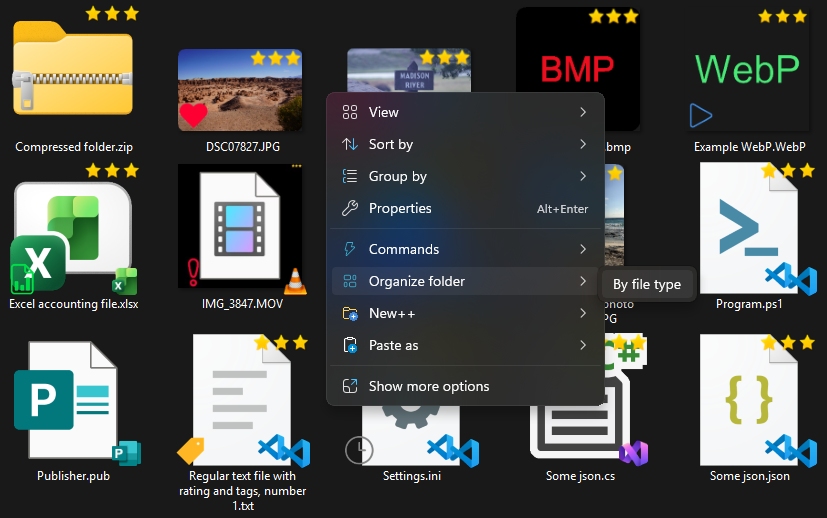
Use what's built into Windows, the tools you already have, or Productivity Plus Pack — they work well together.
Sort or group the folder view by photo properties. This changes the view, not where the files are stored.
Rename and move photos with patterns based on date, place, people and original filename. Place names are resolved using bundled geographic data.
People+ can recognize faces locally and write names into photo metadata. Name the people first if you want those names available to your organizing pattern.
More about Organize Folder · Full Organize Folder guide · More how-to guides
No. Place names are resolved from photo GPS coordinates using offline geographic data.
The photo has no GPS-derived location. Check your naming and placement patterns on sample files to see the result.
No. Organizing uses available names from photo metadata. Use People+ separately to recognize and name people.
Use this idea in a real-world workflow.
Name family members, tag occasions and rate favorites so you can find the best photos of a person across different events and years.
Try every feature free for 30 days, no account or credit card needed. After the trial, choose a one-time payment for the direct download or a monthly subscription for the Microsoft Store edition.
