Clean, plain text every time you paste — in every app.
Quick answer: Many browsers paste plain text with Ctrl+Shift+V, and Office apps offer Keep Text Only, but each app works its own way. For one shortcut that works in virtually any Windows app, copy as usual and press Ctrl+Shift+V with Plain Paste in Paste+ from Productivity Plus Pack. PowerToys Advanced Paste pastes plain text with Ctrl+Win+Alt+V.
Copy a paragraph from a web page into an email and it arrives with the wrong font, size and color. Every app has its own way to paste plain text — if it has one at all.
Plain Paste from Productivity Plus Pack gives you one shortcut that pastes plain text in virtually any Windows app.
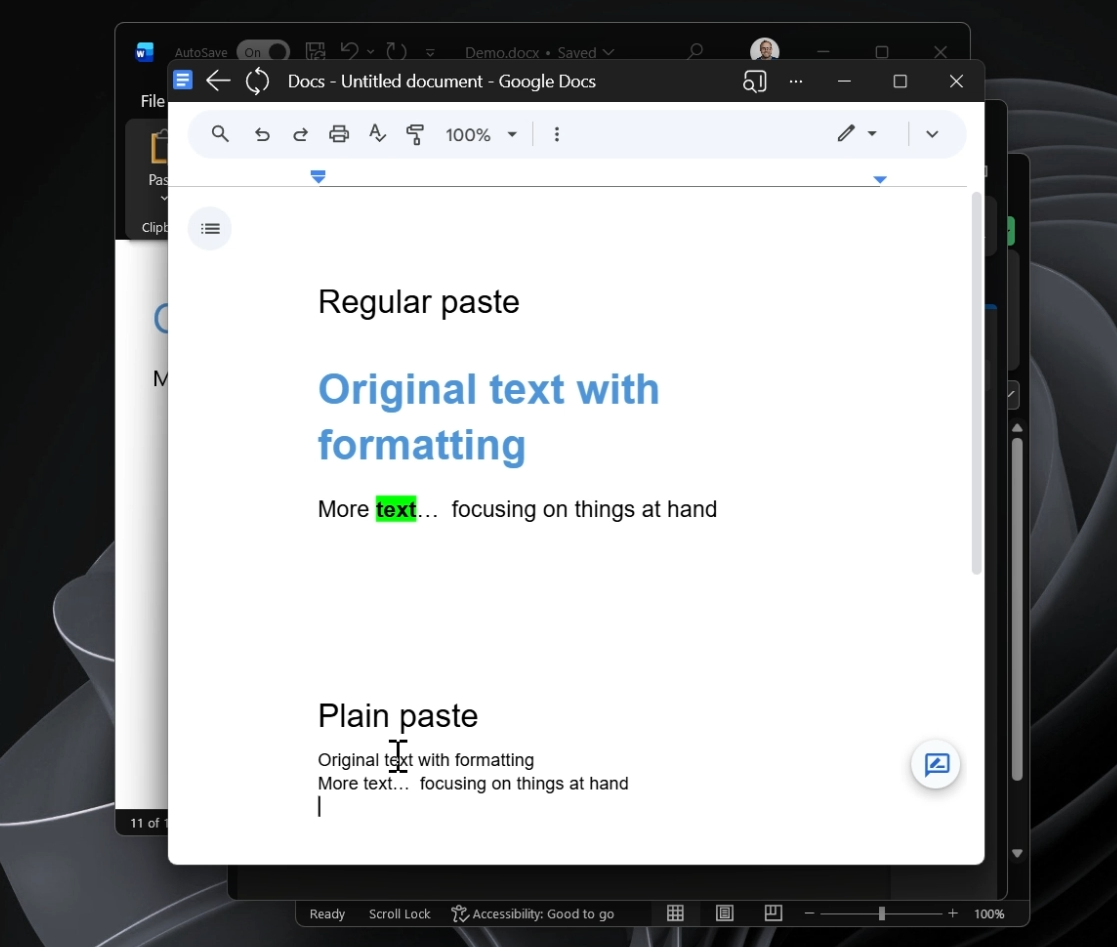
Use what's built into Windows, the tools you already have, or Productivity Plus Pack — they work well together.
Many browsers paste plain text with Ctrl+Shift+V, and Office apps offer a Keep Text Only paste option — each app in its own way.
Advanced Paste pastes plain text directly with Ctrl+Win+Alt+V.
Plain Paste uses one customizable shortcut that works across virtually every Windows app.
More about Paste+ · Full Paste+ guide · More how-to guides
It works across virtually any Windows application, so you can move text between programs without cleaning up afterward.
Yes. Open Settings, go to Paste+, and change the Plain Paste shortcut.
Yes. Their default shortcuts are different, so you can use both.
Try every feature free for 30 days, no account or credit card needed. After the trial, choose a one-time payment for the direct download or a monthly subscription for the Microsoft Store edition.
