Give PDFs, documents, photos and other supported files a star rating.
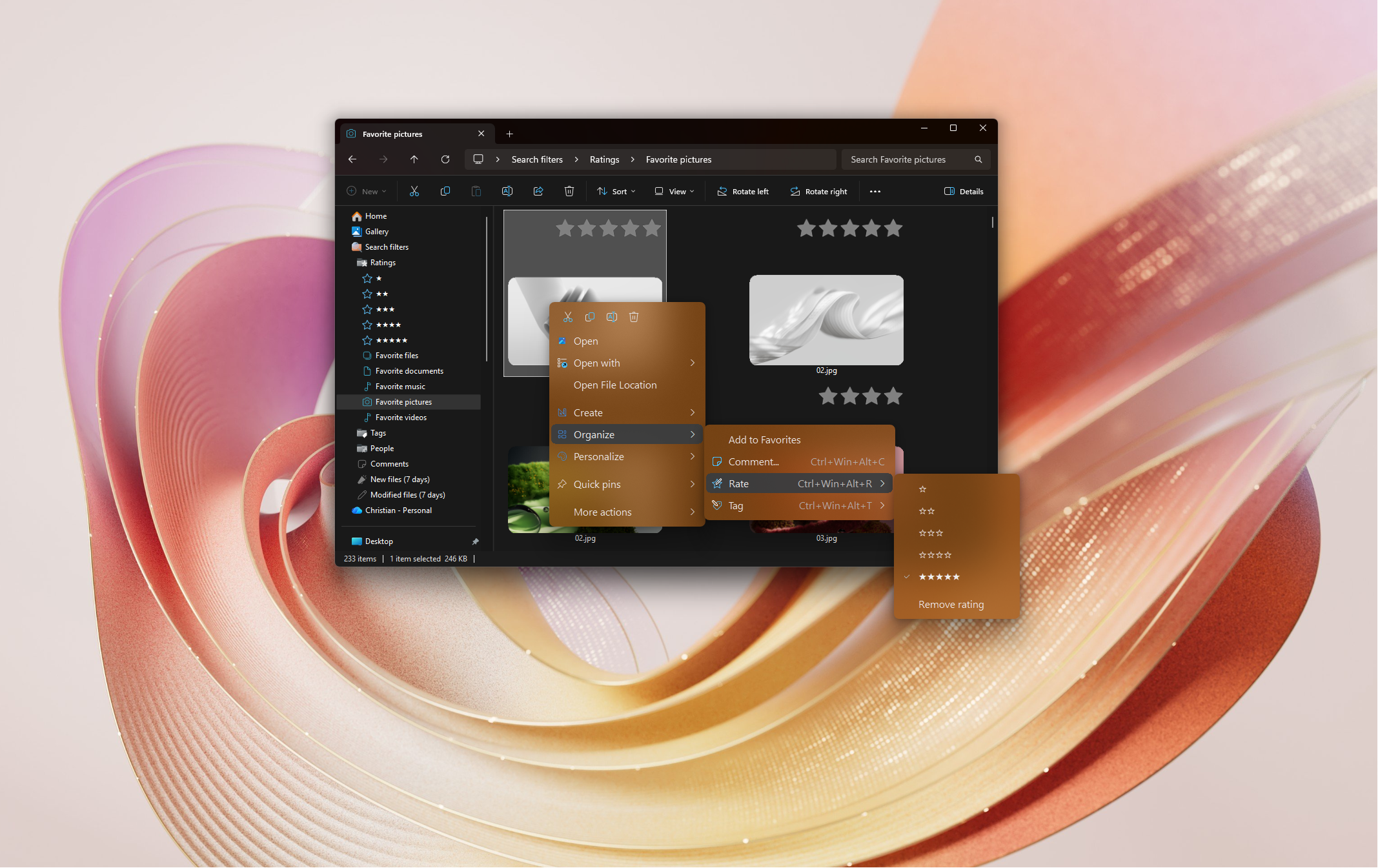
Quick answer: Windows can rate photos, music and videos: open Properties > Details and click the stars under Rating. To rate PDFs, documents, text files, code and archives too, select them, right-click and pick a star rating with Rate+ from Productivity Plus Pack. The stars show on thumbnails, and the Search filters section in the navigation pane lists files by rating.
Windows shows a Rating field for photos, music and videos. For most other files — PDFs, text files, archives, code — there's nowhere to rate them.
Rate+ from Productivity Plus Pack adds star ratings to over 60 supported file extensions, shows the stars right on the thumbnails, and lets you jump to your top-rated files in one click.
Use what's built into Windows, the tools you already have, or Productivity Plus Pack — they work well together.
For photos, music and videos, open Properties > Details and click the stars under Rating.
Rate+ adds right-click ratings to PDFs, Word, Excel and PowerPoint files, text and Markdown files, ZIP and RAR archives, images, videos, code files and more.
Build a filter like "5 stars and tagged Important" with the visual query builder in Settings.
More about Rate+ · Full Rate+ guide · Read: Which Files Can You Tag and Rate with Productivity Plus Pack? · Read: How to Tag PDFs, Documents and More in Windows · Read: How to Organize Photos on Your PC · More how-to guides
Over 60 supported extensions, including PDF, DOC/DOCX, XLS/XLSX, PPT/PPTX, TXT, MD, CSV, JSON, HTML, ZIP, RAR, JPG, PNG, GIF, WEBP, HEIC, MP4, MOV, MP3, WAV and many code and script files.
Yes, folders can be rated too, and the stars show on the folder. Folder ratings don't currently appear in the search filters, which match files.
Inside the file for formats that support it, such as JPG and MP3, or in a hidden NTFS stream attached to the file for other types. Nothing is uploaded.
Use this idea in a real-world workflow.
Name family members, tag occasions and rate favorites so you can find the best photos of a person across different events and years.
Try every feature free for 30 days, no account or credit card needed. After the trial, choose a one-time payment for the direct download or a monthly subscription for the Microsoft Store edition.
