Rate supported files from one to five stars, and find your best files again.
Check supported extensions, drive requirements and metadata portability
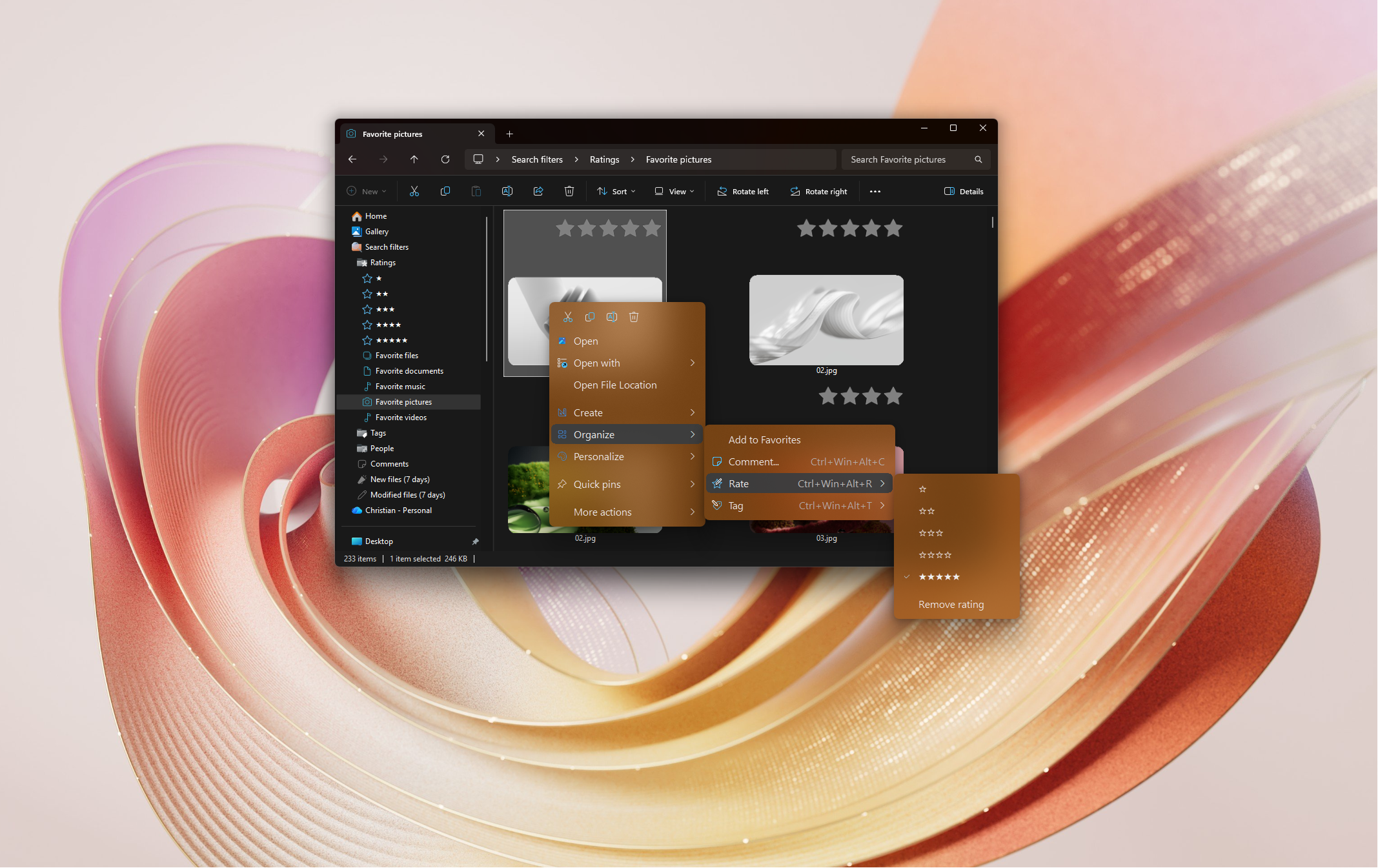
Right-click a supported file in File Explorer and choose a star rating from the Rate menu. You can also select one or more files and press Ctrl+Win+Alt+R followed by a number from 1 to 5.
Rated files show star overlays on their thumbnail in File Explorer's Medium, Large and Extra Large icon views. On the Rate+ page in Settings you can choose the icon used for the star overlay.
On your PC, with the file — inside the file for formats that support it, such as JPG, HEIC, MP3 and MP4, and in a hidden NTFS stream attached to the file for other types. Nothing is sent anywhere.
Open the Search filters section in Explorer's navigation pane for filters for each star rating, plus Rated files and Non rated files. To combine ratings with tags or dates, build your own filter — see Finding tagged files in the Tag+ guide.
Rate+ can show a notification when rating finishes, and offer to add a location to the Windows Search index when you rate a file somewhere that isn't indexed. Both can be turned off on the Rate+ page.
The Rate menu, the rating shortcuts and the star overlays can each be turned off on the Rate+ page in Settings.
