Tag and rate your PDFs right in File Explorer — and find them again in one click.
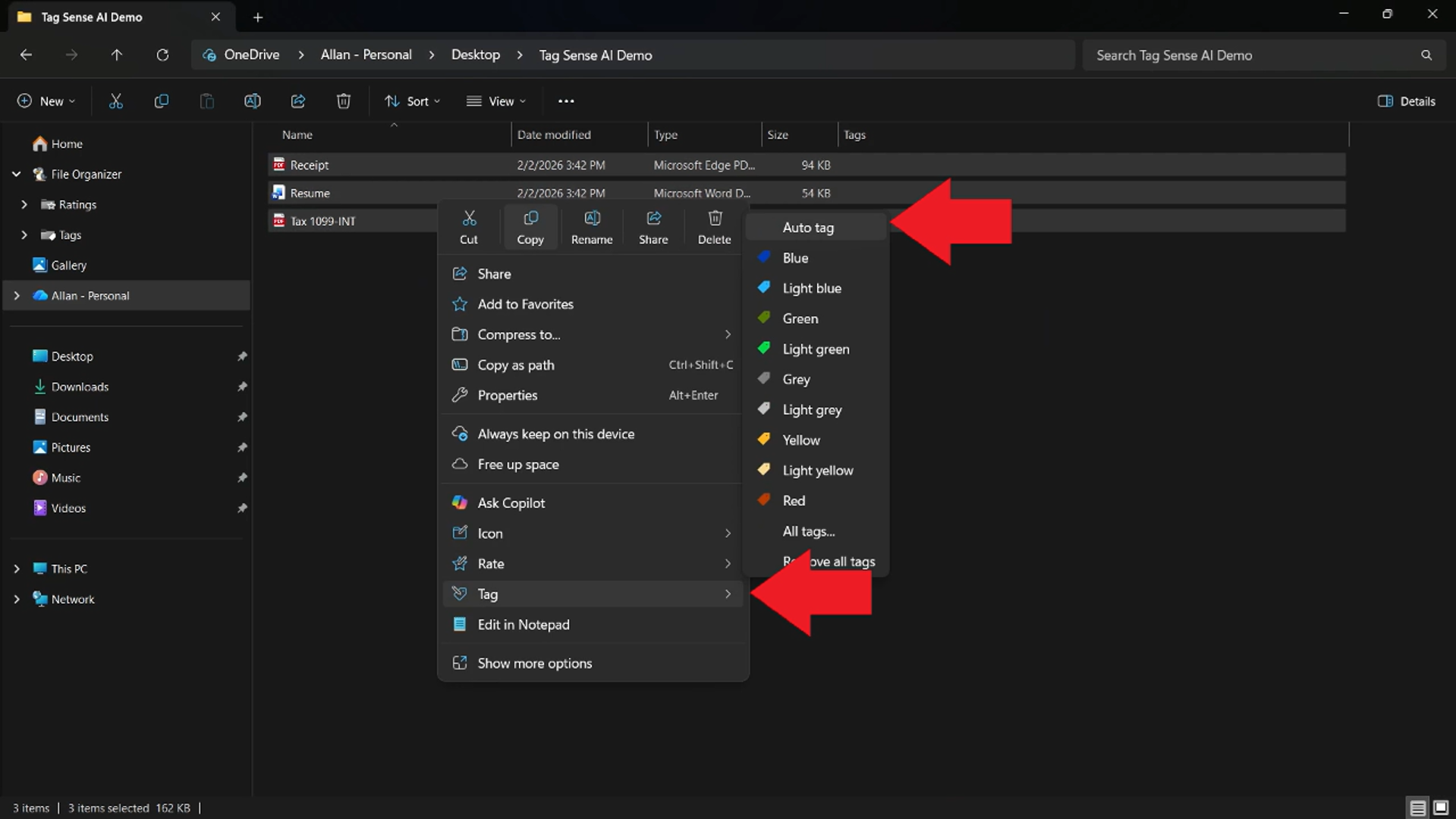
Quick answer: File Explorer does not normally offer an editable Tags field for PDFs, even though PDFs can contain metadata. With Tag+ from Productivity Plus Pack, you select PDFs in File Explorer, right-click and choose a tag, then find them again from the Search filters section in the navigation pane or with Windows Search.
It's a common surprise: photos and Office documents have a Tags field under Properties > Details, but PDFs — often the very files you most need to find again — don't.
Tag+ and Rate+ from Productivity Plus Pack add tags and star ratings to PDFs, store them with the file, and make them searchable from File Explorer.
Use what's built into Windows, the tools you already have, or Productivity Plus Pack — they work well together.
Windows Search can find text inside PDFs when a PDF filter is installed, but Windows doesn't let you add your own tags or ratings to them.
Tag+ and Rate+ tag and rate PDFs from the right-click menu, and the tags show on thumbnails and in search filters.
Tag Sense AI reads PDFs, including scanned ones, and suggests tags using AI that runs on your own PC.
More about Tag+ · Full Tag+ guide · Read: Which Files Can You Tag and Rate with Productivity Plus Pack? · Read: How to Tag PDFs, Documents and More in Windows · More how-to guides
In a hidden NTFS stream attached to the PDF on your PC. The PDF's content isn't changed, and nothing is uploaded.
Only if the drive uses NTFS. FAT32 and exFAT drives, common on USB sticks and SD cards, can't keep these tags. Photos and videos such as JPG and MP4 store tags inside the file, so theirs travel everywhere.
Yes. Comment+ adds a comment to a PDF the same way, and you can find the file by its comment later.
Use this idea in a real-world workflow.
Keep contracts, amendments and correspondence together, record document status and notes, and find the signed files again in File Explorer.
Collect research PDFs, review AI-assisted topic tags, record why sources matter and find relevant papers with tags, ratings and Explorer filters.
Try every feature free for 30 days, no account or credit card needed. After the trial, choose a one-time payment for the direct download or a monthly subscription for the Microsoft Store edition.
