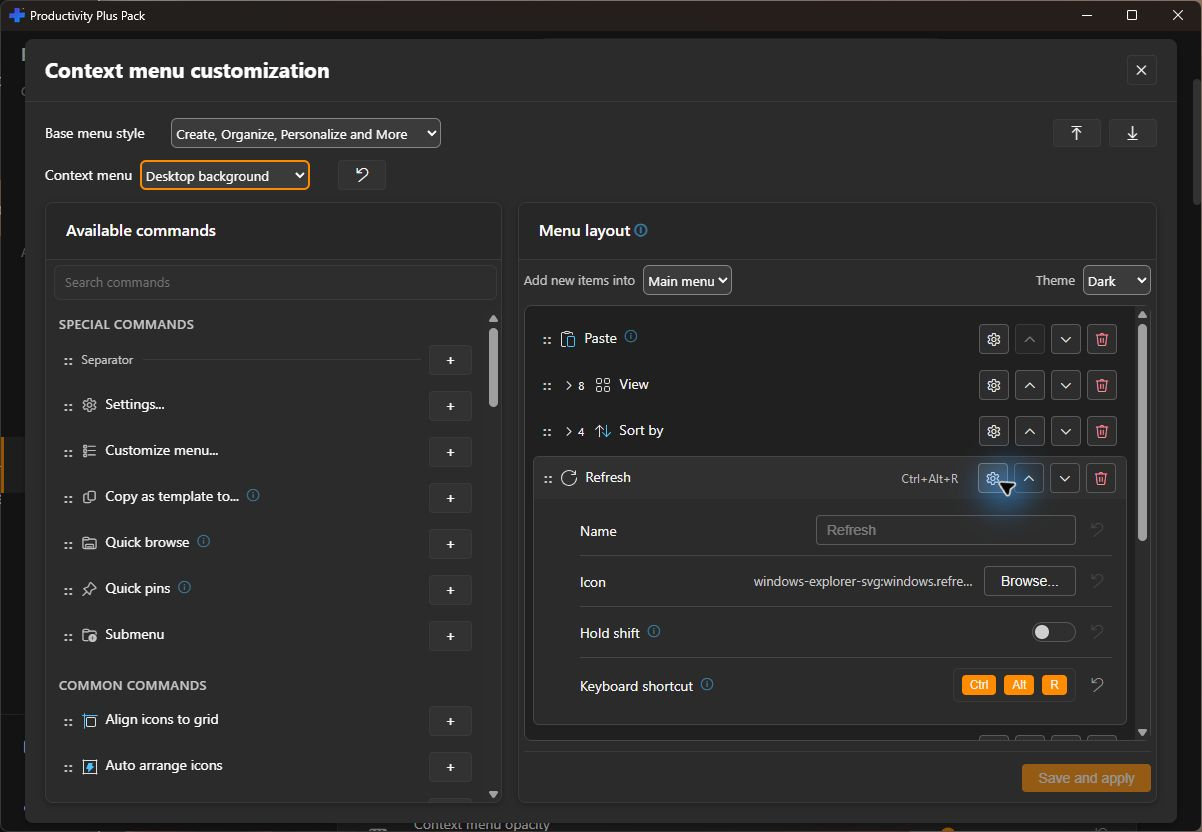
Take control of your right-click menu — remove the noise, add your own commands.
Open Settings > Context Menu+ and choose Customize... for your layout. Select the menu location, arrange commands and submenus, and choose a theme in the preview. Choose Save and apply, then open that menu in Windows to check it with a real selection. Follow the step-by-step guide.
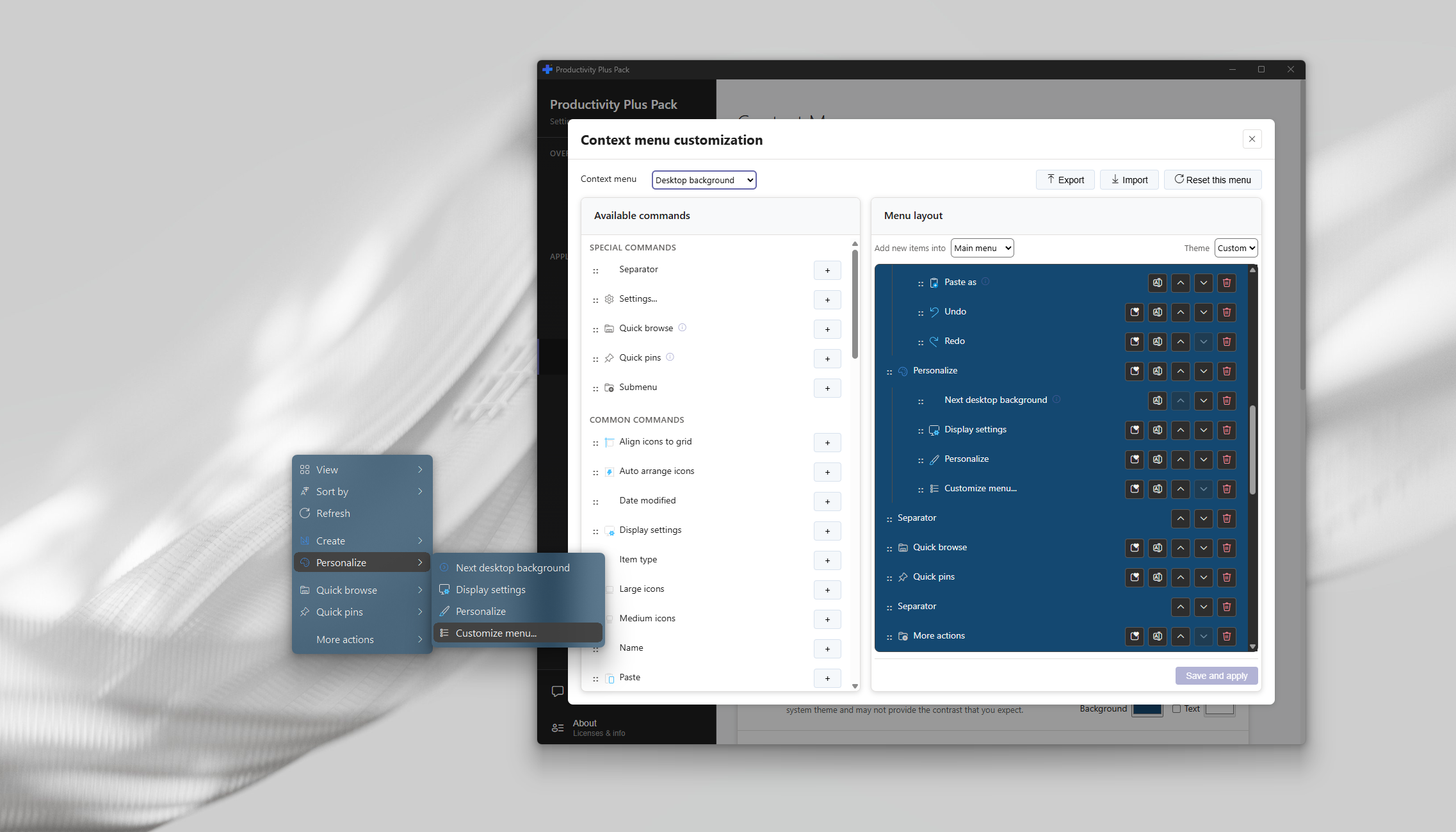
Save your changes before exporting your layouts. Keep the exported file so you can import your saved customizations later. Import replaces saved customizations, so export your current layouts first if you want to keep them.
Open Settings and go to Context Menu+ to switch between the Windows 11 modern context menu and the classic (full) context menu behavior for File Explorer.
In the Modern and Classic sections of the settings page, you can disable individual context menu handlers — both from other apps and from Productivity Plus Pack's own Paste as / New++ / Commands entries — to keep only what you actually use. Explorer needs to restart for changes to take effect.
Creating and running custom right-click commands is now managed under Commands+ in Settings. See the Commands+ guide for command lines, variables, prompts, filters, and hotkeys.
Keep frequently used files and folders together in Quick pins, with groups for different projects. Use the same pins across menus, and show them in Explorer's navigation pane with Navigation+.
Browse a folder tree through nested menus, then open the item you need. Start from the current folder or choose a starting folder in the menu designer.
Assign a keyboard shortcut to an executable context-menu entry, including commands from other apps. Run it from File Explorer without reopening the menu. The shortcut follows the command across layouts; submenu headings and separators are excluded.
Right-click a .ps1 file to run it with the included Commands+ action. Scripts with required parameters show an input form, and declared PowerShell version or administrator requirements are respected.
Bring together New++ templates, Paste as a file, icon packs and photo and music organization. Arrange them where they fit your workflow.
Give files, file types, folders, drives, the desktop, Recycle Bin, Start button and taskbar their own layouts. Choose a theme and export your setup to reuse on another PC.